
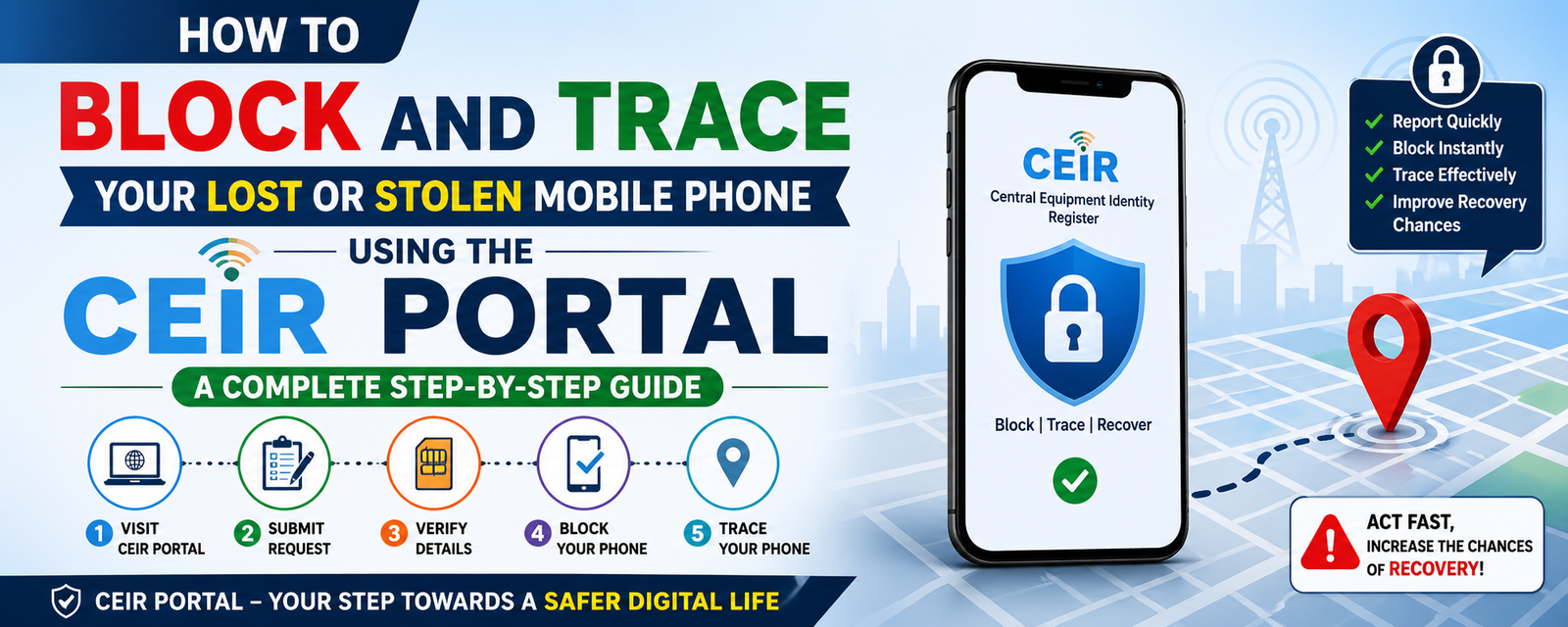
💡 How to Block and Trace Your Lost or Stolen Mobile Phone Using the CEIR Portal: A Complete Step-by-Step Guide
Learn how to use the Indian government's CEIR portal to block your stolen phone's IMEI, track its location, and protect your personal data with this comprehensive guide.
To block and trace a lost or stolen mobile phone in India, you must register a request on the Central Equipment Identity Register (CEIR) portal at ceir.sancharsaathi.gov.in. By providing your device's IMEI number, a copy of the police complaint, and your identity proof, the government blacklists the device across all telecom networks. This action prevents the phone from being used with any SIM card and triggers a notification to the police if anyone attempts to activate it.
Navigating the Crisis of a Missing Mobile Device
Losing a smartphone is no longer just about the loss of a physical gadget; it is a significant security risk involving your bank accounts, private photos, and personal identity. While Google’s 'Find My Device' or Apple’s 'Find My' are helpful, they can be bypassed if the phone is factory reset or kept offline. This is where the CEIR portal, launched by the Department of Telecommunications (DoT), becomes your most powerful tool. It operates at the network level, ensuring the device becomes a 'brick' even if the SIM card is changed or the software is wiped.
Essential Prerequisites: What You Need Before Accessing the CEIR Portal
Before you sit down to fill out the online form, you must have specific documents and information ready. The portal will not accept a request without these essentials:
- Police Complaint: You must file an FIR or a lost property report at your local police station or through an online e-FIR portal. Keep a digital copy (PDF or JPEG) of this complaint.
- IMEI Number: You need the 15-digit IMEI number(s) of the lost device. If you have a dual-SIM phone, you will need both numbers. These are found on the mobile's original box or the purchase invoice.
- Purchase Invoice: While not always mandatory, having the bill helps prove ownership.
- Identity Proof: A digital copy of your Aadhaar Card, PAN Card, Voter ID, or Driving License.
- Alternate Mobile Number: A working phone number (belonging to a family member or a new SIM) to receive the One-Time Password (OTP) for verification.
Step-by-Step Guide to Blocking Your Stolen or Lost Mobile via IMEI
Once you have your documents ready, follow these steps to block your device:
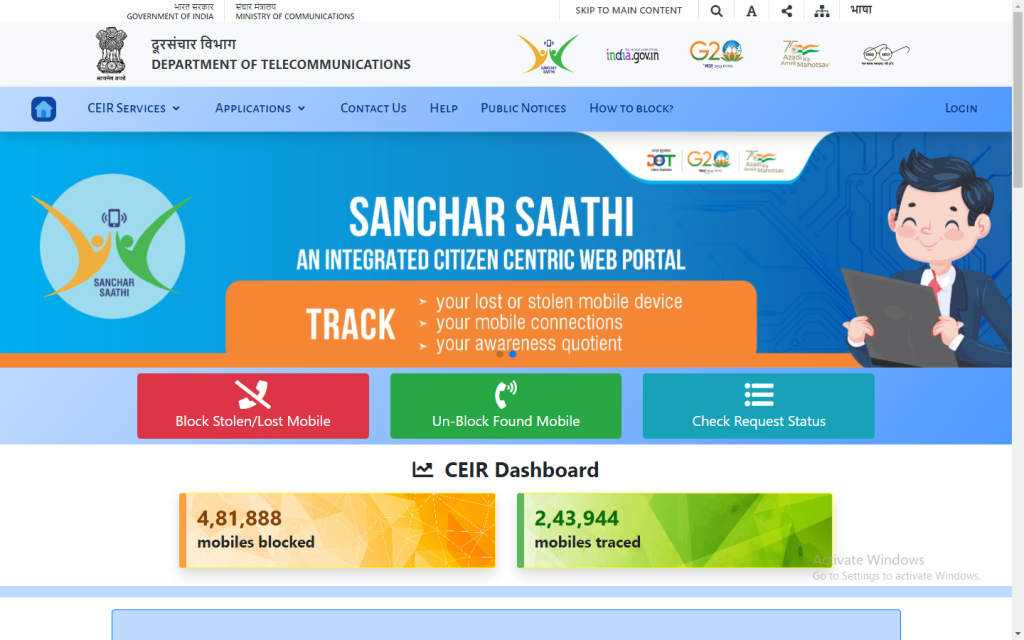
- Visit the Official Portal: Go to the Sanchar Saathi / CEIR website.
- Select the Blocking Option: Click on the red button labeled 'Block Stolen/Lost Mobile'.
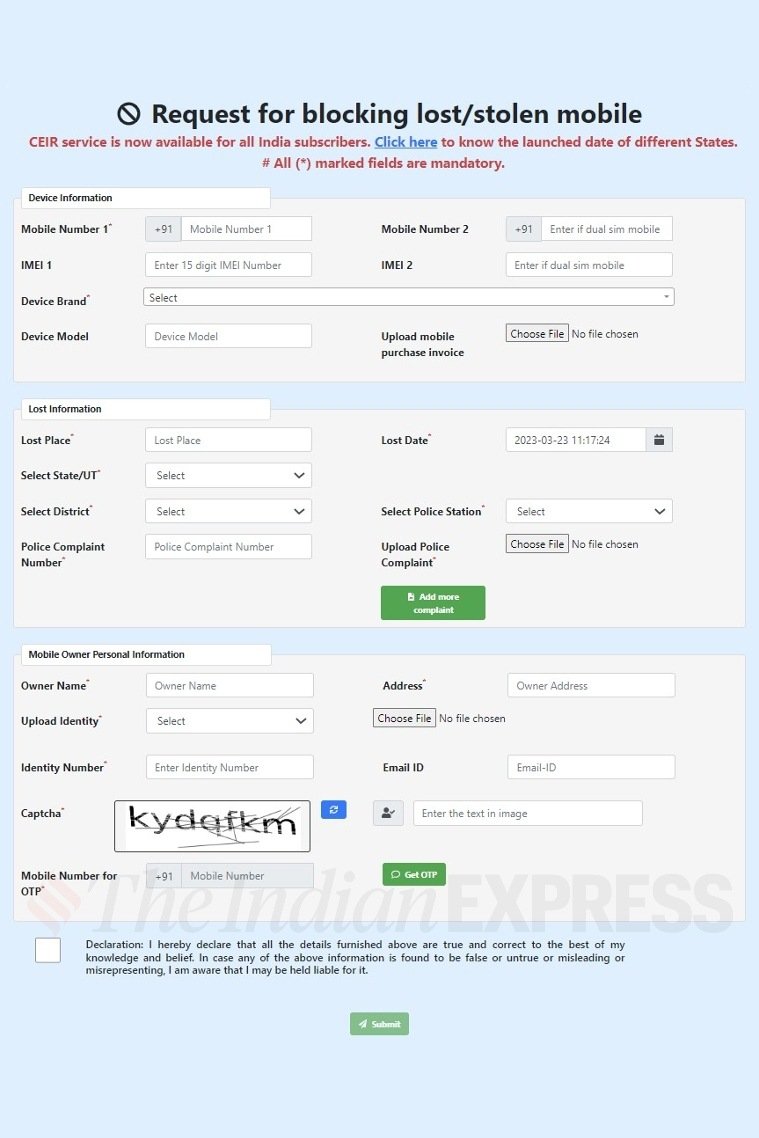
- Fill Device Information: Enter your mobile numbers and their corresponding IMEI numbers. Select the device brand and model.
- Provide Lost Information: Enter the location where the phone was lost, the date, and the state/district. Select the relevant police station and upload the police complaint copy.
- Mobile Owner Personal Details: Enter your name, address, and upload your ID proof.
- Submit and Verify: Enter the captcha, provide your alternate mobile number for the OTP, and click 'Submit'.
Upon successful submission, you will receive a Request ID. Save this carefully, as it is the only way to track your request or unblock the phone later.
How to Track Your Request Status and Verify the Blocking Process
After submitting the request, the portal coordinates with telecom service providers to blacklist the IMEI. You can monitor the progress of your application by clicking on the 'Check Request Status' button on the home page. Simply enter your Request ID to see if the device has been successfully blocked. In states like Telangana, which has seen high recovery rates, this system works in tandem with local police databases to alert authorities the moment a blocked phone is powered on with a new SIM card.
The Recovery Phase: How to Unblock Your Handset Once It Is Found
If the police recover your phone or you find it yourself, you should unblock it to use it again. Do not attempt to use a blocked phone with a SIM card before unblocking it through the portal, as this might trigger a police alert.
To unblock, go to the CEIR portal and select 'Unblock Found Mobile'. You will need to provide your Request ID, the mobile number you used for the OTP, and the reason for unblocking (e.g., 'Recovered by Police' or 'Found by Self'). Once processed, the IMEI will be whitelisted, and you can resume normal use within 24 hours.
Beyond Blocking: Utilizing the 'Know Your Mobile' (KYM) Feature
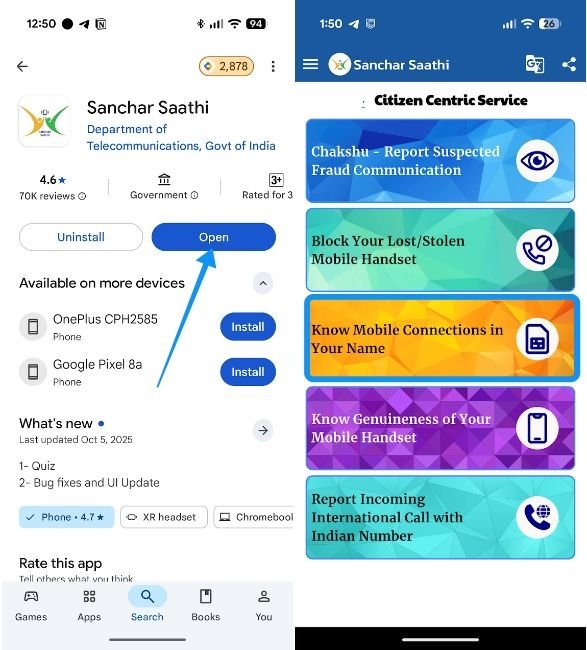
The CEIR portal isn't just for emergencies; it's also a preventive tool. The Know Your Mobile (KYM) feature allows you to check the validity of a mobile device before you purchase it, especially in the second-hand market. By entering the IMEI number into the KYM app or web portal, you can verify if the phone is blacklisted, duplicated, or already reported as stolen.
Advantages and Limitations of the CEIR System
While the CEIR portal is a landmark digital initiative, it is important to understand its scope:
- Advantage: It works across all Indian telecom operators (Jio, Airtel, Vi, BSNL).
- Advantage: It renders the hardware useless for thieves, reducing the resale value of stolen phones.
- Limitation: The system relies heavily on the accuracy of the IMEI provided. If the IMEI was previously tampered with (flashed), the blocking may not be 100% effective.
- Limitation: It does not track the live GPS location like a manufacturer's 'Find My' service; it tracks the tower location when a SIM is inserted.
Frequently Asked Questions Regarding the CEIR Portal
1. Can I block my phone if I don't have the IMEI number?
No, the IMEI is the primary identifier. You can find it on the original bill or the device box. If you don't have those, contact your service provider; they may have the IMEI logged from your last active session.
2. What happens if someone tries to use my blocked phone?
The phone will not receive any signal or network. Furthermore, the CEIR system will notify the police that a blacklisted device has been turned on, helping them trace the current user.
3. Is there a fee for using the CEIR portal?
No, the CEIR portal is a free service provided by the Government of India to ensure citizen security.
4. Should I block my SIM card before using CEIR?
Yes. You should first call your telecom operator to block your SIM card to prevent misuse of your number for OTPs or calls. However, you still need the IMEI blocking via CEIR to disable the handset itself.
5. Does CEIR work for international phones brought to India?
Yes, as long as the phone was being used with an Indian SIM card at the time it was lost or stolen.
Conclusion
The CEIR portal is a vital component of India's digital security infrastructure, transforming the way lost mobile devices are handled. By centralizing the blocking process, the government has made it significantly harder for stolen devices to be reused or resold. While the technology is highly effective, the responsibility remains with the user to maintain records of their IMEI and report losses immediately to the authorities. Utilizing these government digital initiatives not only helps in individual recovery but also contributes to a broader reduction in mobile-related crimes across the country.




Comments 0
Leave a Reply
Your email address will not be published. Required fields are marked *
Be the first to share your thoughts!